

Extend GLPI
G-Assist by MarifeX
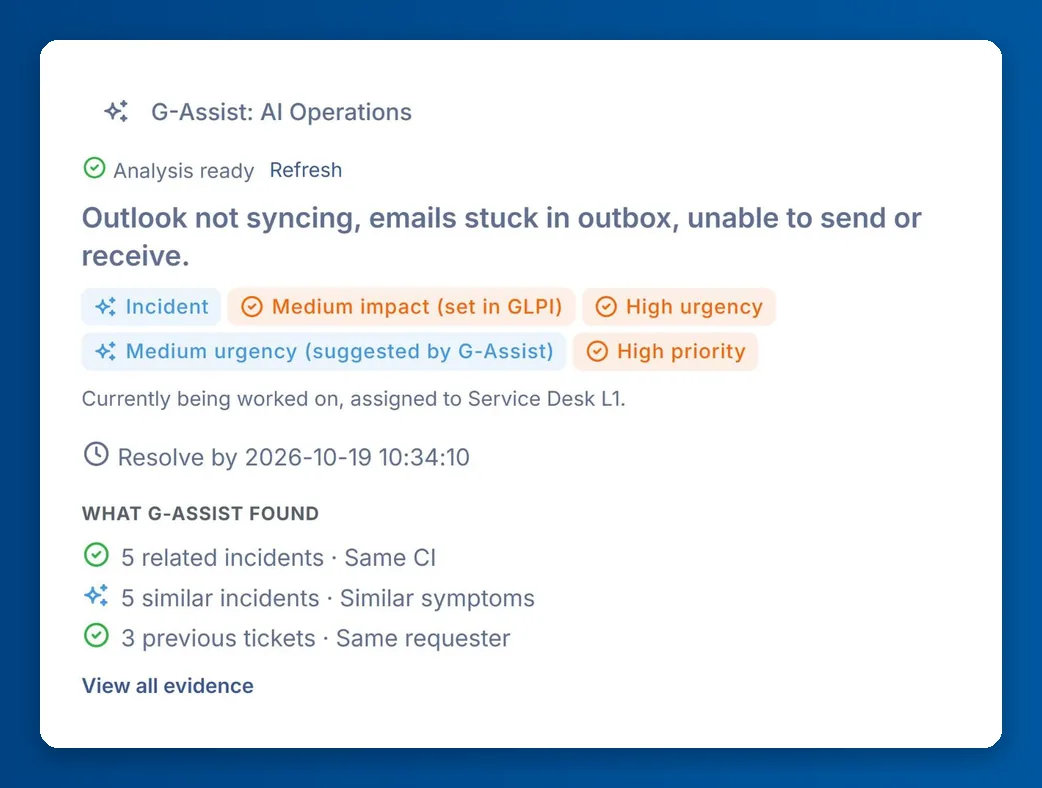
An AI assistant that works inside the GLPI ticket screen, and goes well beyond a ticket summary. By the time a technician opens a ticket, G-Assist has read it, found the related incidents, Problems, Changes and knowledge articles, and prepared a recommended next step with its reason and confidence, ready to apply in one click. Nothing changes until the technician clicks.
What it is
- A panel inside the GLPI ticket screen, already prepared when the ticket opens
- A plain-language summary, the kind of ticket and the equipment (CI) it concerns
- Related incidents, Problems and Changes, similar past tickets, the requester’s earlier tickets and knowledge articles
- A recommended next move with its reason, plus other options
- One-click actions that carry out the suggestion in GLPI
- Replies to the requester saved as private drafts until the technician sends them
Features
What it does.
Ticket summary
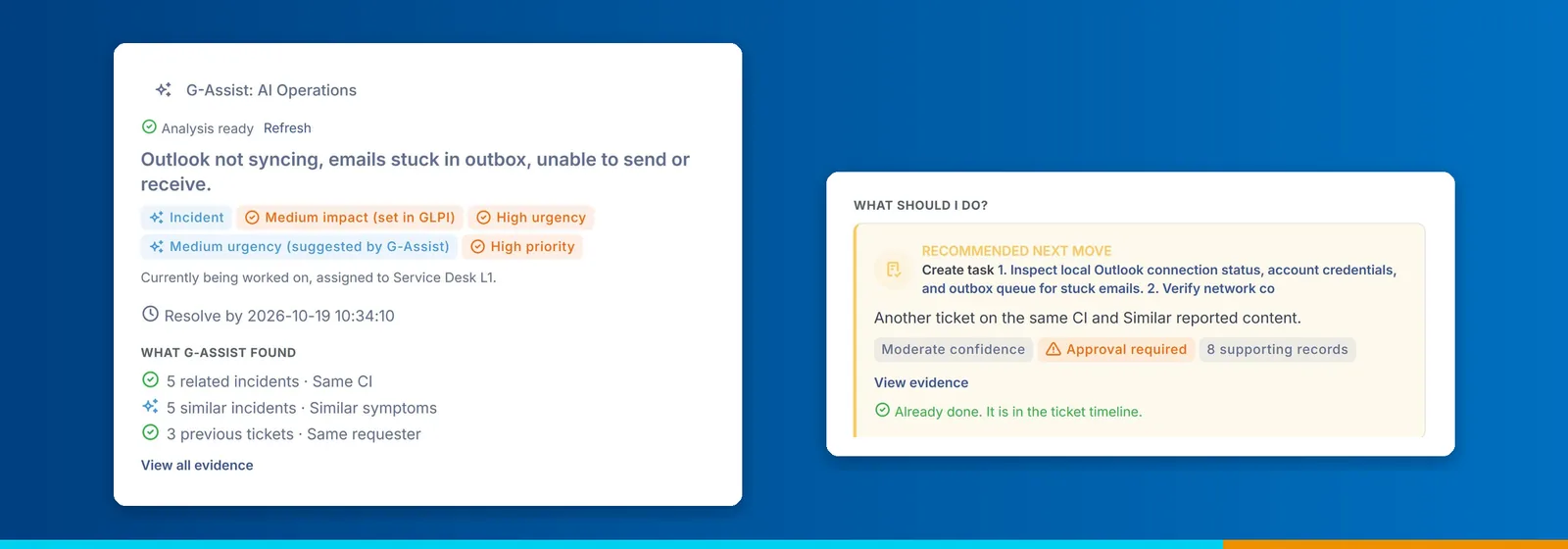
A short summary in plain words, the kind of ticket and the equipment it concerns, with its current status and who it is assigned to.
Related records
Related incidents, Problems and Changes on the same equipment, similar past tickets, the requester’s earlier tickets and knowledge articles, each linked to the real GLPI record.
Recorded or suggested
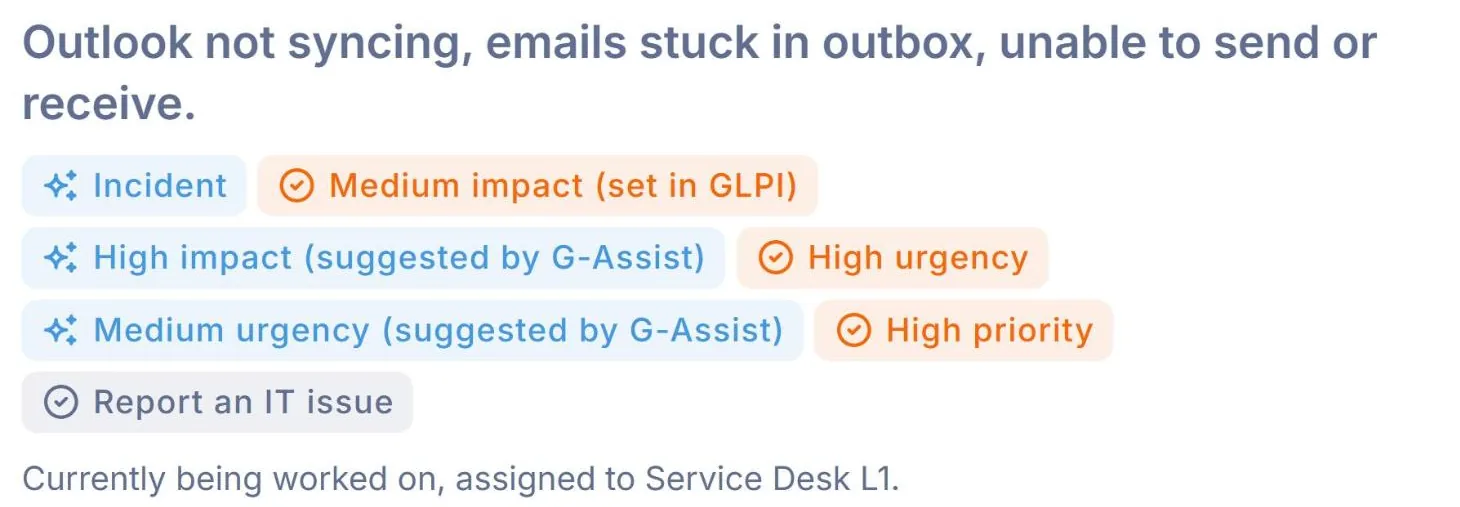
A tick marks a fact held by GLPI and a sparkle marks G-Assist’s own reading. It never changes the recorded impact, urgency or priority.
Recommended next move
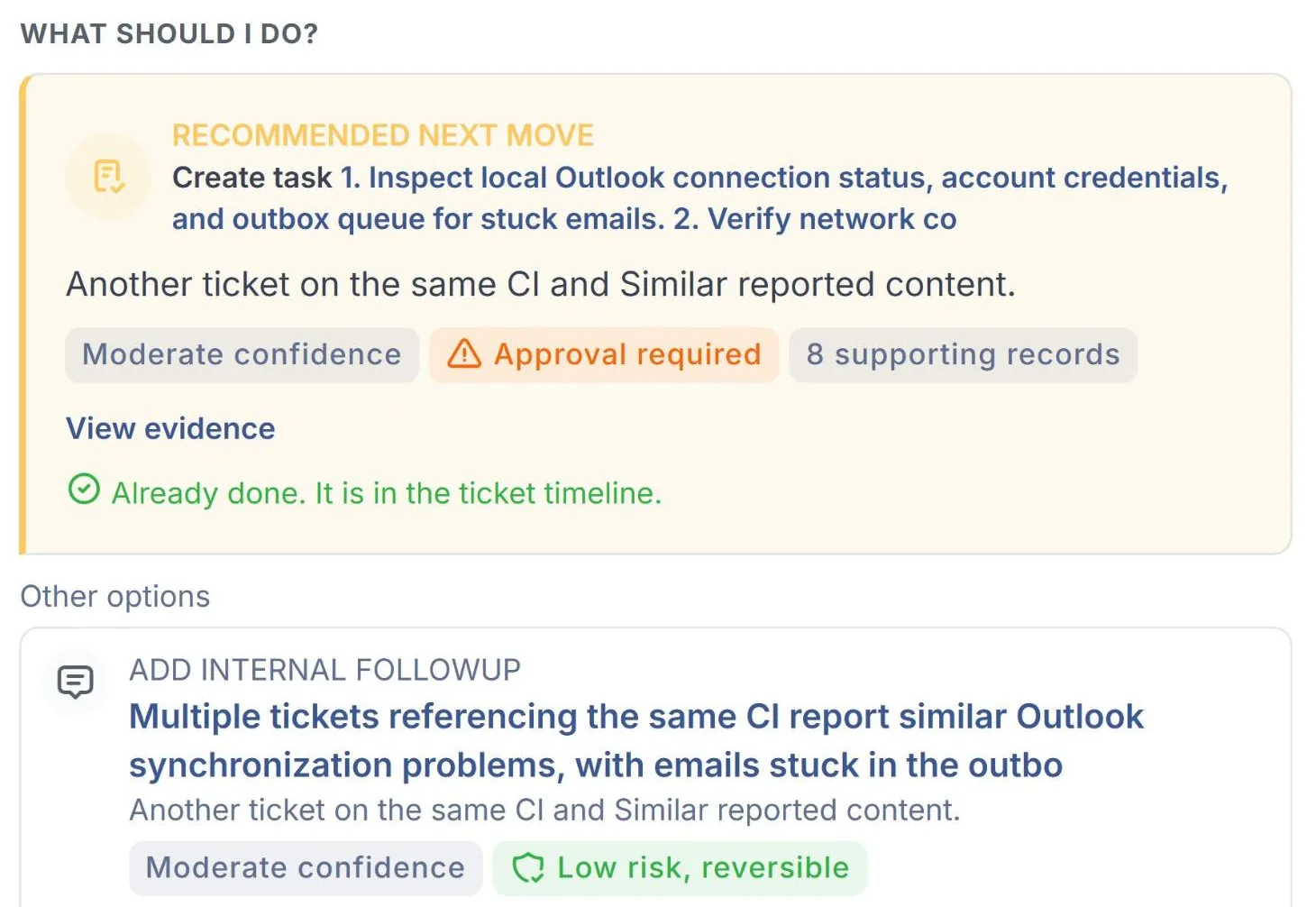
The most useful next action, with a short reason, how confident G-Assist is and how much care it needs, plus other options.
One-click actions
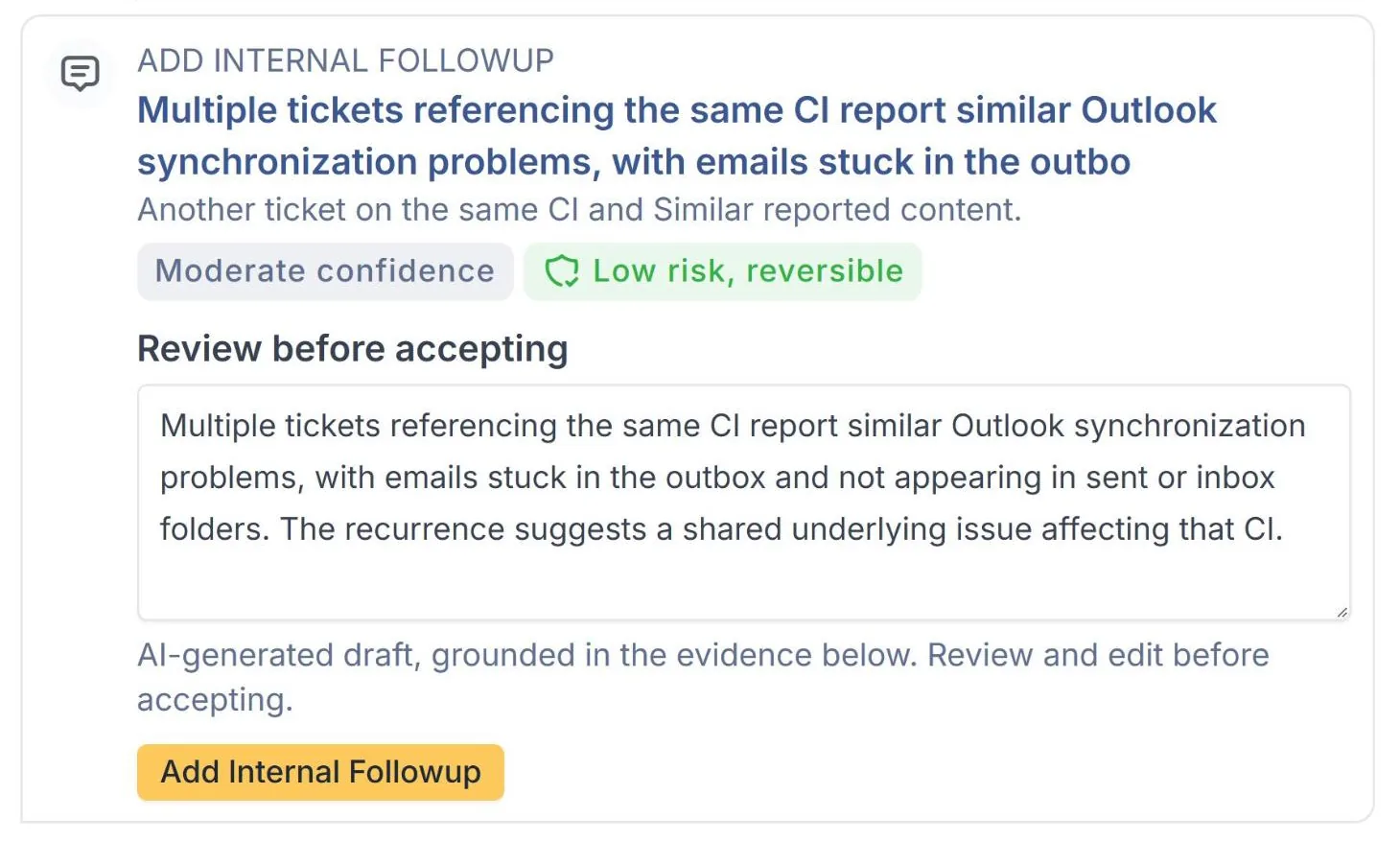
Link a Problem, Change or CI, assign a group, create a task or add an internal followup. A suggestion is applied once, never twice.
Review before accepting
Suggested wording for tasks, followups and replies appears in an editable box. What you leave in the box is exactly what is saved.
Draft, then send
A reply is saved as a private draft first. The requester sees it only after the technician clicks Send to requester.
Within GLPI rights
Evidence and actions follow each person’s own GLPI access, and every action, accepted or refused, is recorded.
Screens
See it in use.
 The panel on a ticket
 Recorded and suggested values
 Recommended next move
 Review before accepting
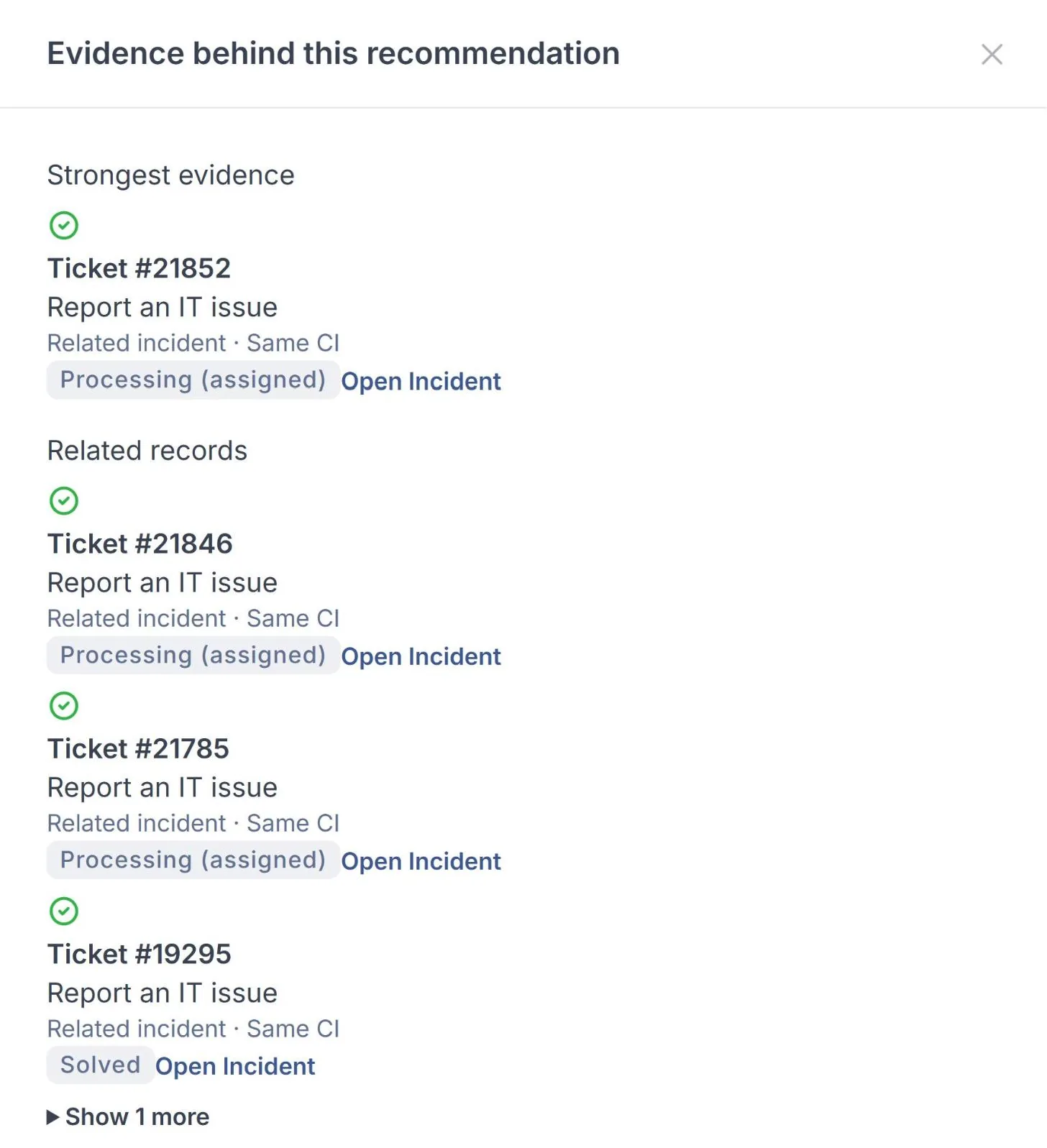 Evidence behind a recommendation
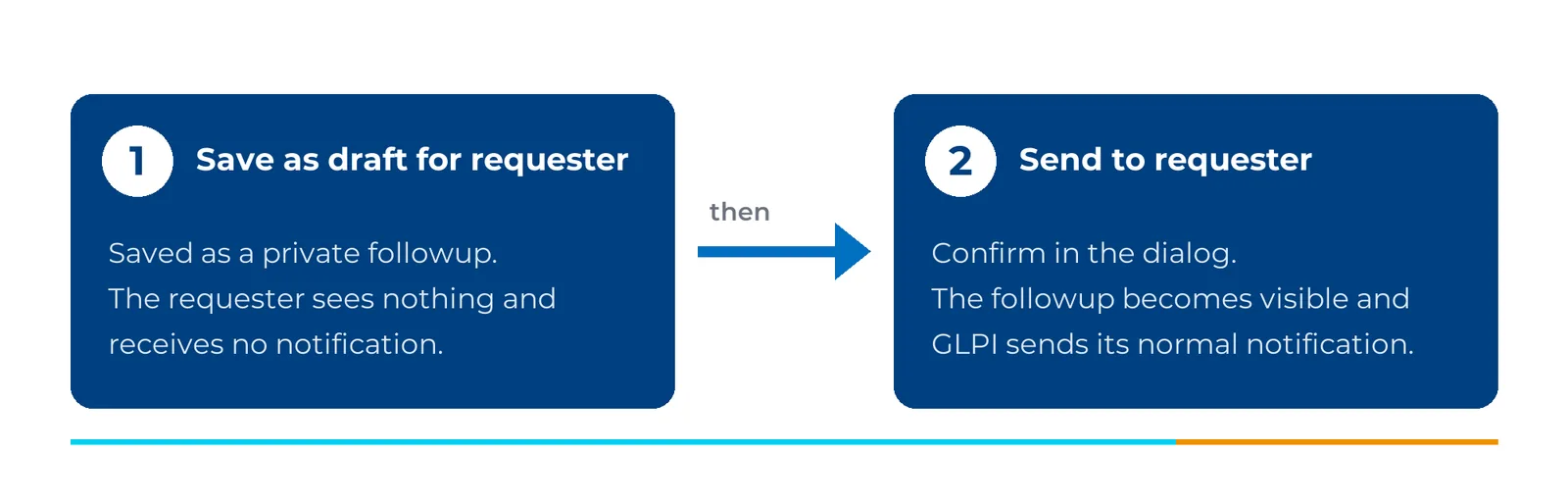 Draft first, then send
Select a screen to see it larger.
FAQ
Questions we get asked
Does G-Assist change tickets on its own?
No. It suggests, and every change starts with a technician’s click. A reply to the requester stays a private draft until someone sends it.
Can a technician see records they should not?
No. Evidence and suggestions are checked against that person’s own GLPI rights each time the ticket opens, so two technicians can see different evidence on the same ticket.
What happens if the AI service is slow or unavailable?
GLPI carries on as normal. The panel says what it is waiting for and retries by itself.
Which languages does it write in?
Any language your team works in. Tasks and internal followups follow the language set in the technician’s GLPI profile, and a draft for the requester is written in the requester’s own language. You can also choose the language it writes in.
Which GLPI versions does it support?
GLPI 11 and GLPI 12, including their later releases. Administrators configure it in GLPI, and we help you set it up.
More for GLPI
Other products we built on GLPI.
MarifeX Enterprise Accelerator
Start from a working enterprise service desk, not a blank GLPI.
Learn moreWhatsApp Enterprise for GLPI
A service desk inside WhatsApp.
Learn moreSanad by MarifeX
A native Android app for GLPI, built for technicians, supervisors and field teams who work away from a desk.
Learn moreMarifeX Analytics
Executive dashboards and reports inside GLPI.
Learn moreSee G-Assist on your own GLPI.
Book a short demo. We will show it working, talk through your setup, and tell you honestly whether it fits.