

The situation
When a shared component fails, the service desk sees several unrelated faults, not one outage. A mid-sized organisation runs its ERP, email and shared file drive on three servers, and all three connect through one core switch in the data centre. At 09:00 on a working day, that switch fails.
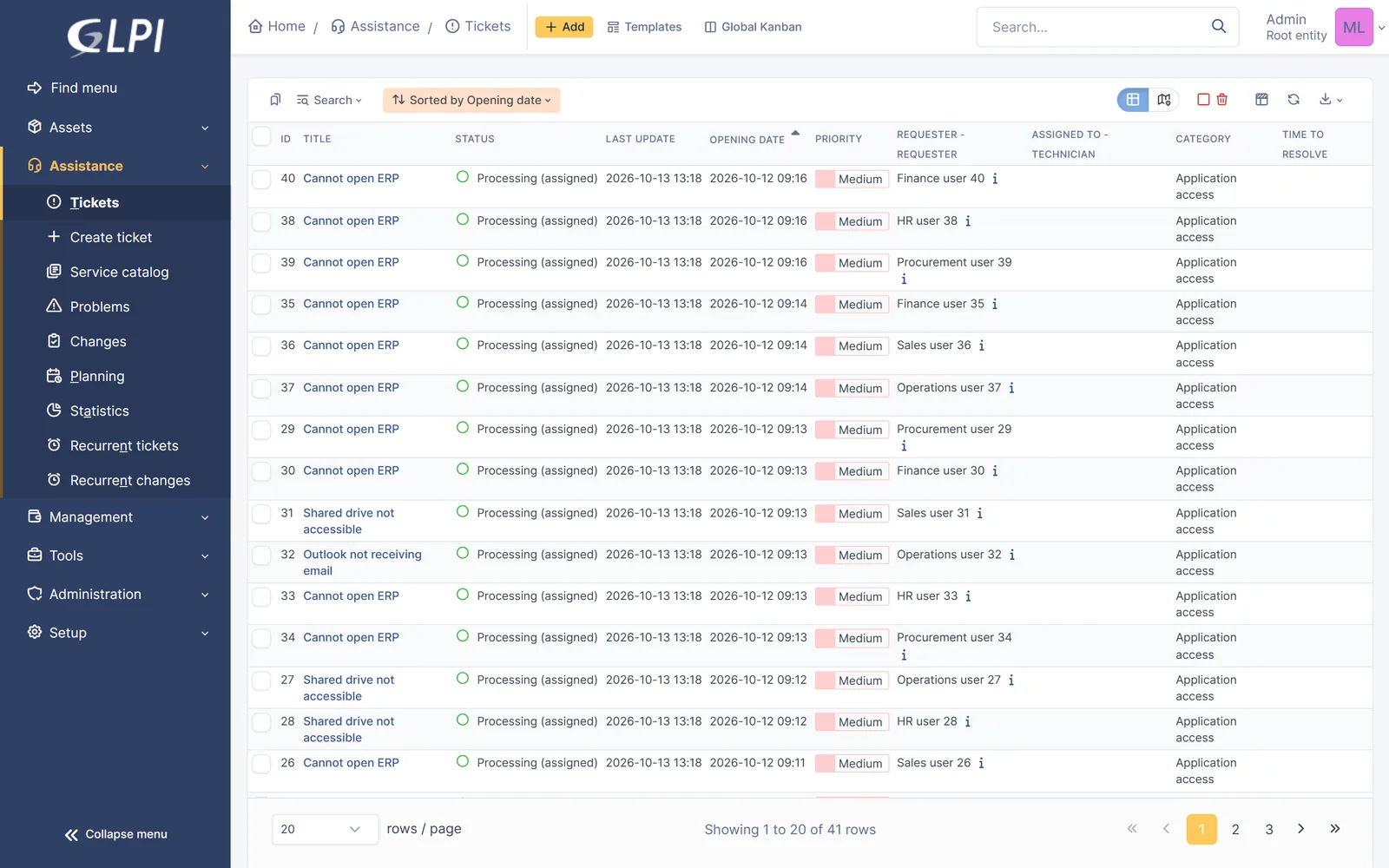
Within minutes, people in five departments lose three different services. The service desk does not see one outage. It sees a queue filling with tickets that look unrelated.
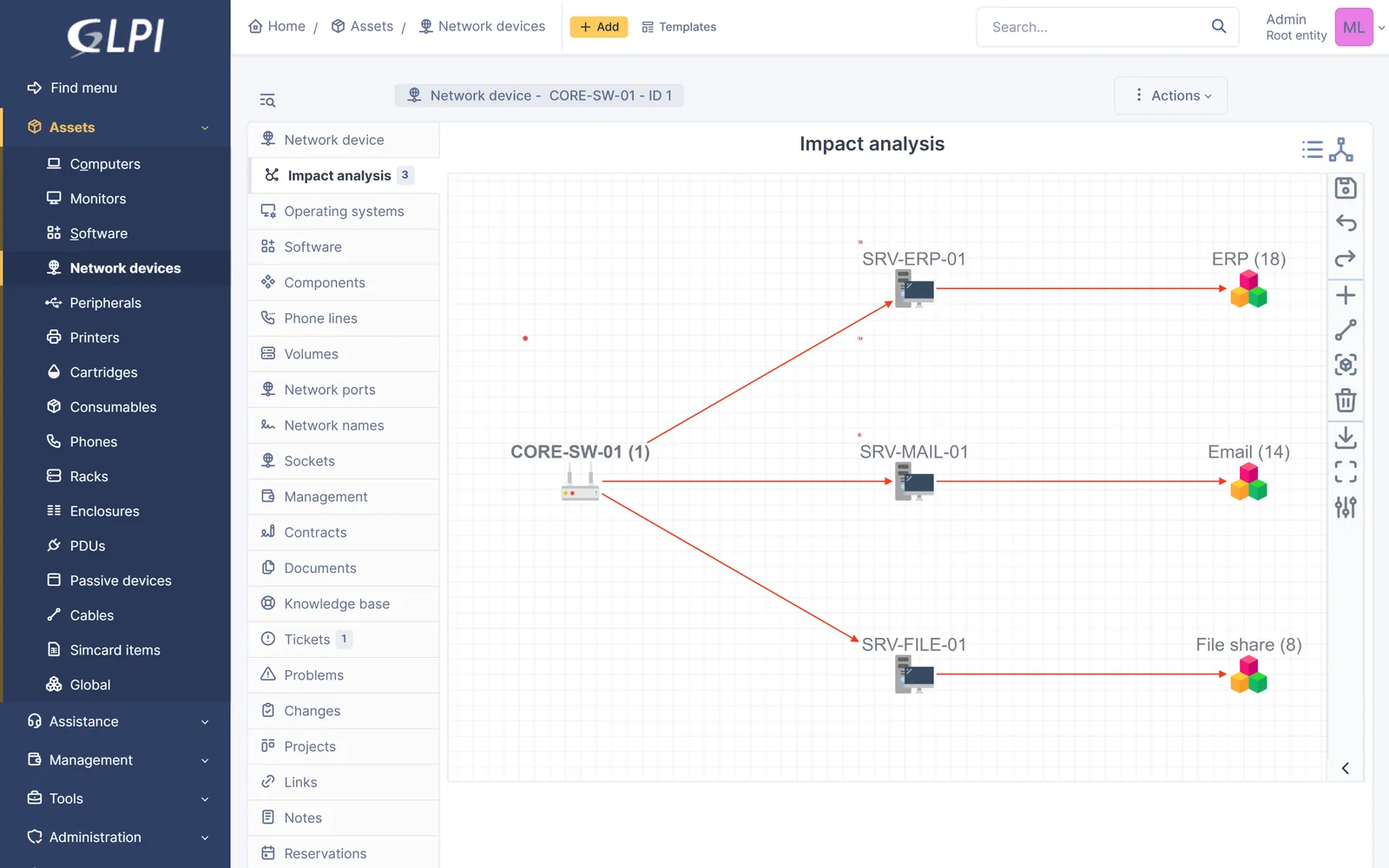
- ERP (18)
- Email (14)
- File share (8)
Source: MarifeX reproduction of the scenario on standard GLPI.
By 09:16 there are 40 open tickets: 18 about ERP, 14 about email and 8 about the shared drive. Each one is assigned to the service desk on its own, and each one could start its own investigation.
The challenge
Restoring the switch is the network team’s job. Everything around it is the service desk’s, and that is the part this use case covers.
- 01
Duplicated effort
Several analysts investigate the same failure from different tickets, and nobody owns the whole picture.
- 02
Slow diagnosis
Three services failing at once hide the one component they share.
- 03
Mixed messages
Users hear different updates depending on who picked up their ticket.
- 04
Manual clean-up
After the fix, someone has to update and close 40 tickets one by one.
Restoring the service ends the incident. Removing the cause is what stops it happening again.
How we run it in GLPI
We handle major incidents in four stages. Every step uses features that come with GLPI as standard, with no plugins and no custom code.
Detect See the common cause
Business services and their dependencies are recorded in GLPI’s impact analysis before any outage happens. When the tickets arrive, one view shows that ERP, email and the file share all depend on the same switch, and how many open tickets each service already has.
Respond One record, one owner
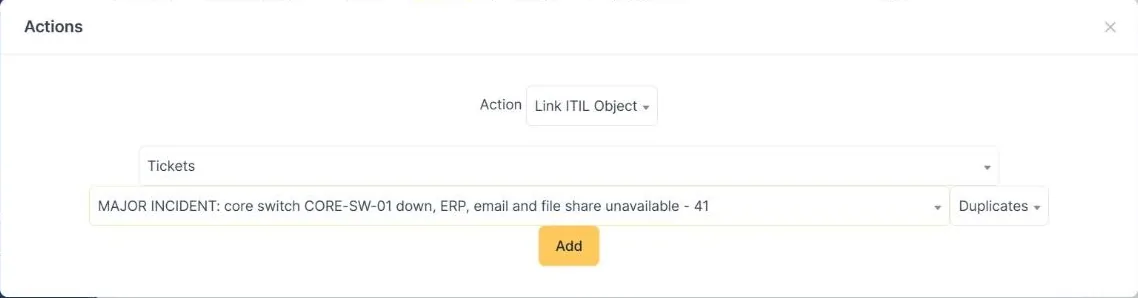
A single major incident is opened, linked to the failed switch and assigned to the network team. All 40 user tickets are then linked to it as duplicates, in one bulk action from the ticket list. From that point the major incident is the only place where the team works and records progress.
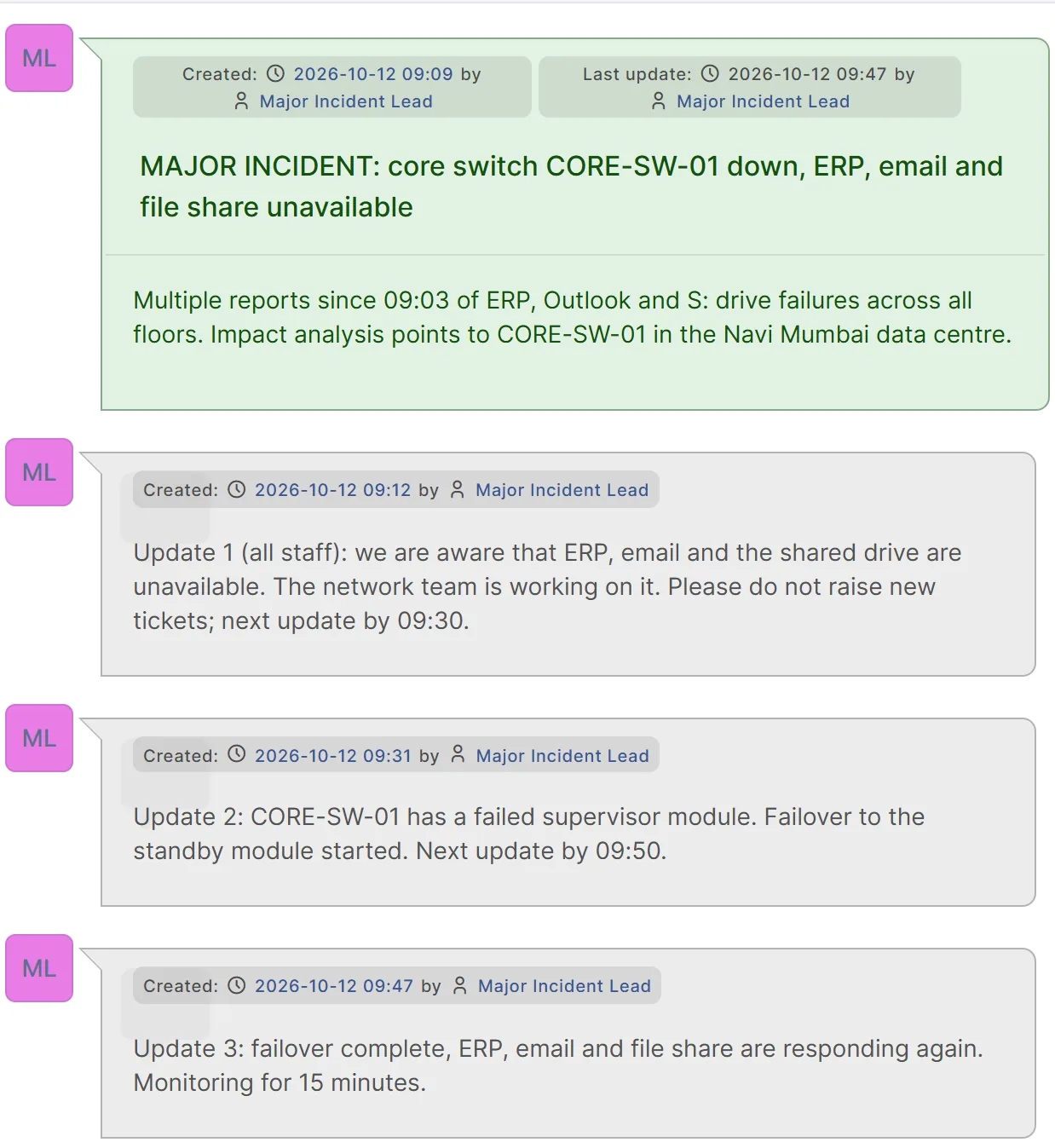
Users hear about progress through the organisation’s own channel: a status page, an email to all staff or a banner on the self-service portal. Updates on the major incident are not copied to the linked tickets, so this channel is agreed before the outage, not improvised during it.
The timeline on the major incident stays the internal record: who did what and when, ready for the review that follows.
Recover Solve once, inform everyone
When the network team restores service, one solution is written on the major incident: what happened, what was done and where the permanent fix is tracked. GLPI copies it to every linked ticket, marks each one solved and notifies its requester.
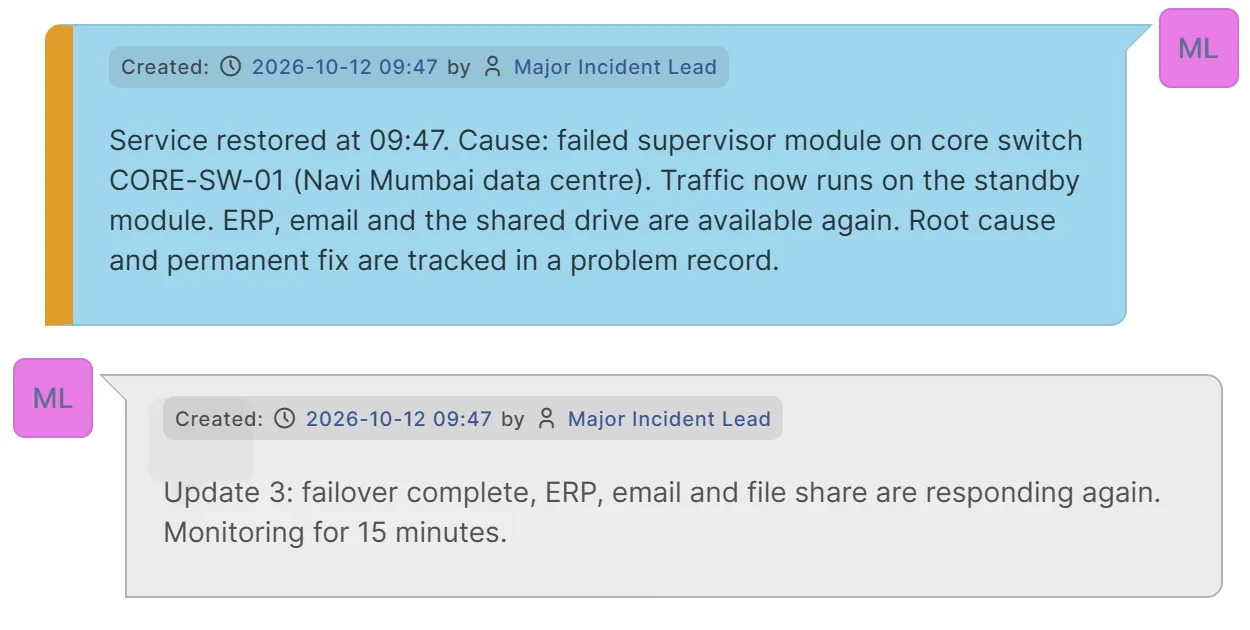
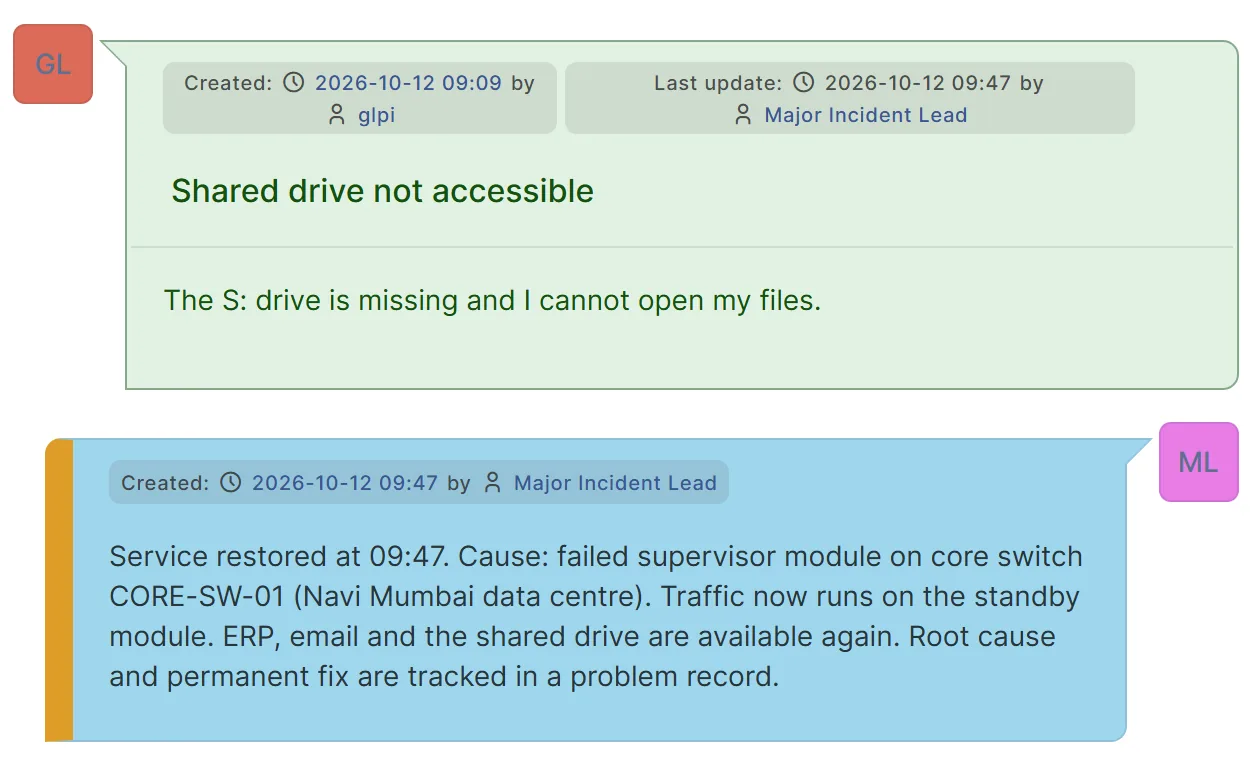
Each user can still accept or refuse the solution on their own ticket, so normal satisfaction and reopening rules apply.
Learn and prevent Fix the cause, keep the lesson
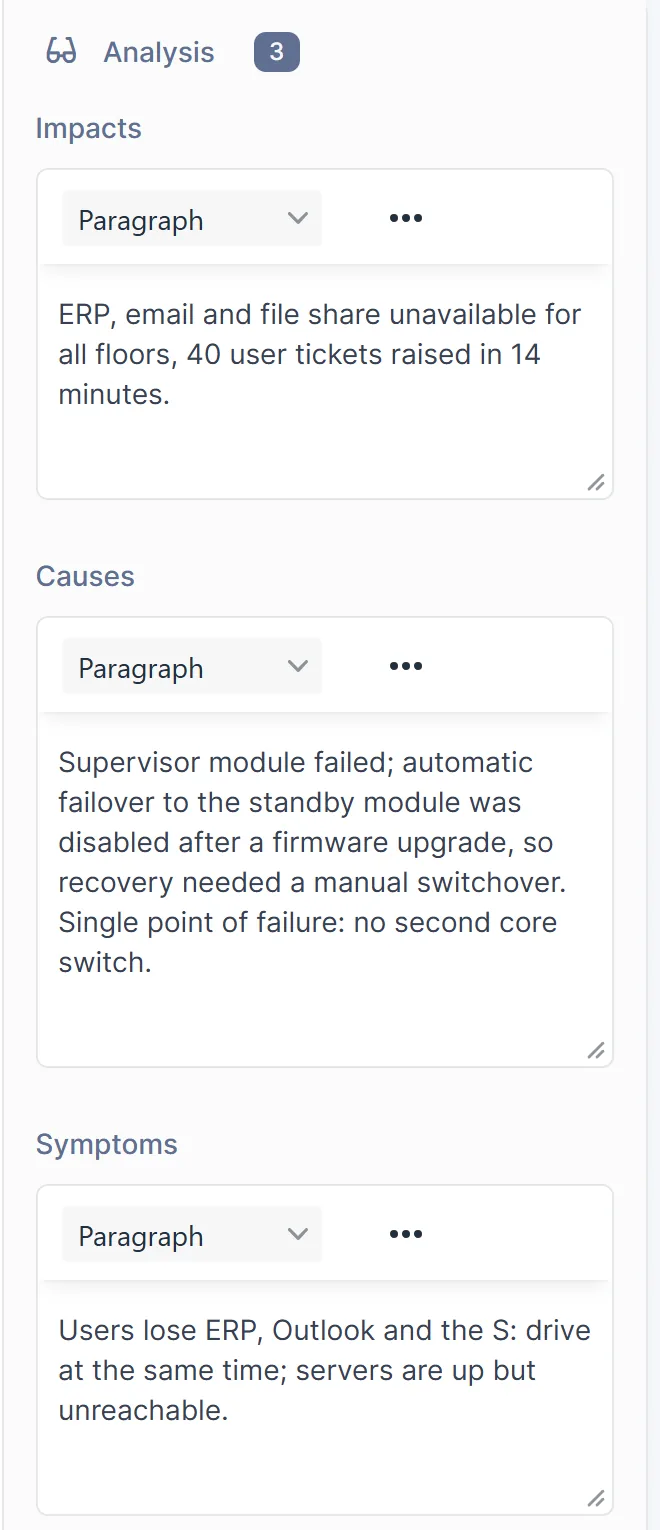
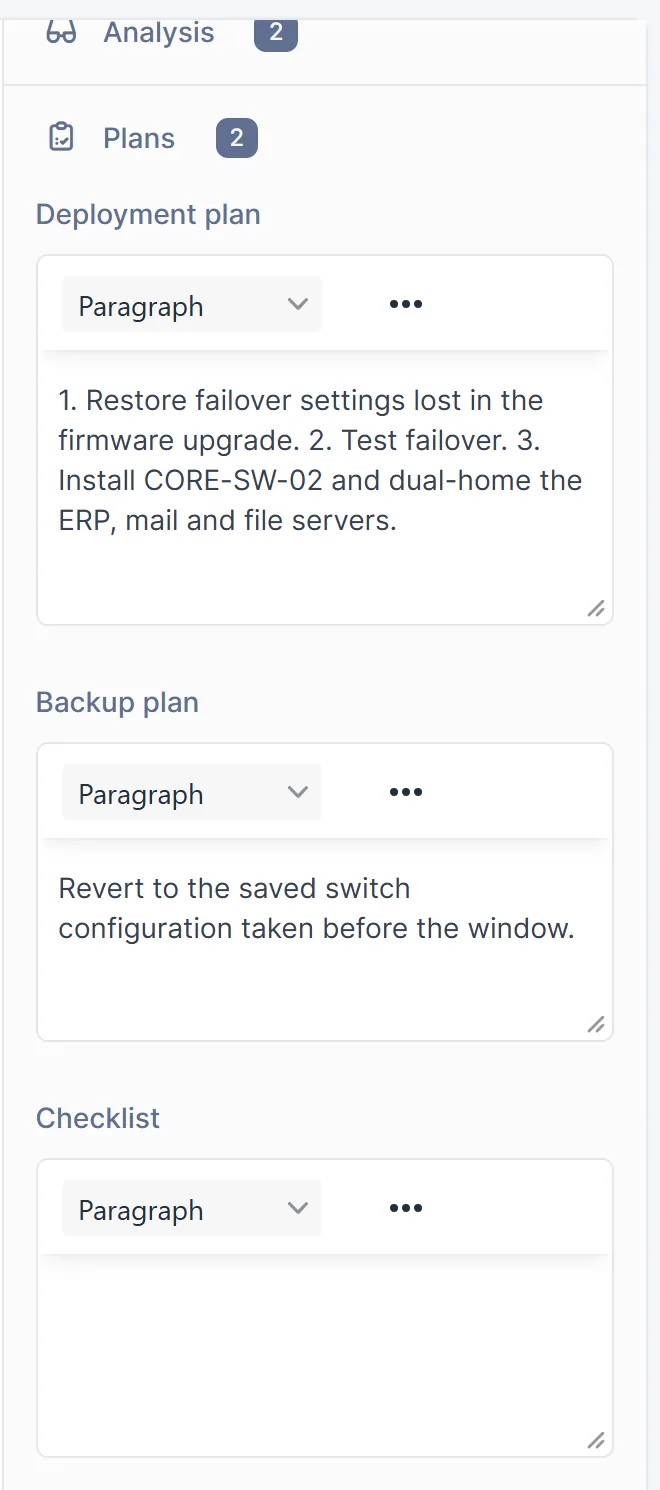
A problem record is opened from the major incident with its impact, cause and symptoms. Here the cause had two parts: automatic failover had been disabled after a firmware upgrade, and there was no second core switch. The permanent fix goes through a change with a deployment plan, a backup plan and a failover test, and the lesson becomes a known-error article for the next analyst.
- Tickets40 user reports09:03 to 09:16Linked as duplicates
- TicketMajor incidentOpened 09:09, solved 09:47Single working record
- ProblemRoot cause analysisOpened 10:05Impact, cause, symptoms
- ChangePermanent fixRaised 11:30Deployment and backup plan
- Knowledge baseKnown-error articlePublished 12:00For the next analyst
Configuration item The major incident, the problem and the change are all linked to network device CORE-SW-01, so the full history opens from the device itself.
Source: MarifeX reproduction of the scenario on standard GLPI.
Under the hood
Why the link type decides everything
GLPI offers four ways to link tickets, and only one of them carries a solution across. Our process is built around how GLPI behaves in practice.
The practical result: link user reports as Duplicates, not as child tickets, and make sure the major incident lead has rights to update every ticket they link.
Behaviour of GLPI's core ticket-link handling, verified on GLPI 11.0, October 2026.
For every ticket linked to it, GLPI checks
- 1Is the ticket linked as Duplicates?Yes
NoTickets linked as parent, child or "linked to" are skipped.
- 2Can the person solving update it?Yes
NoTickets outside their rights are skipped and stay open.
- 3Is the ticket still open?Yes
NoTickets already solved or closed are left as they are.
The outcome
We applied the same solution twice from the same starting point: once with the duplicate links and once without them.
Source: MarifeX reproduction of the scenario on standard GLPI.
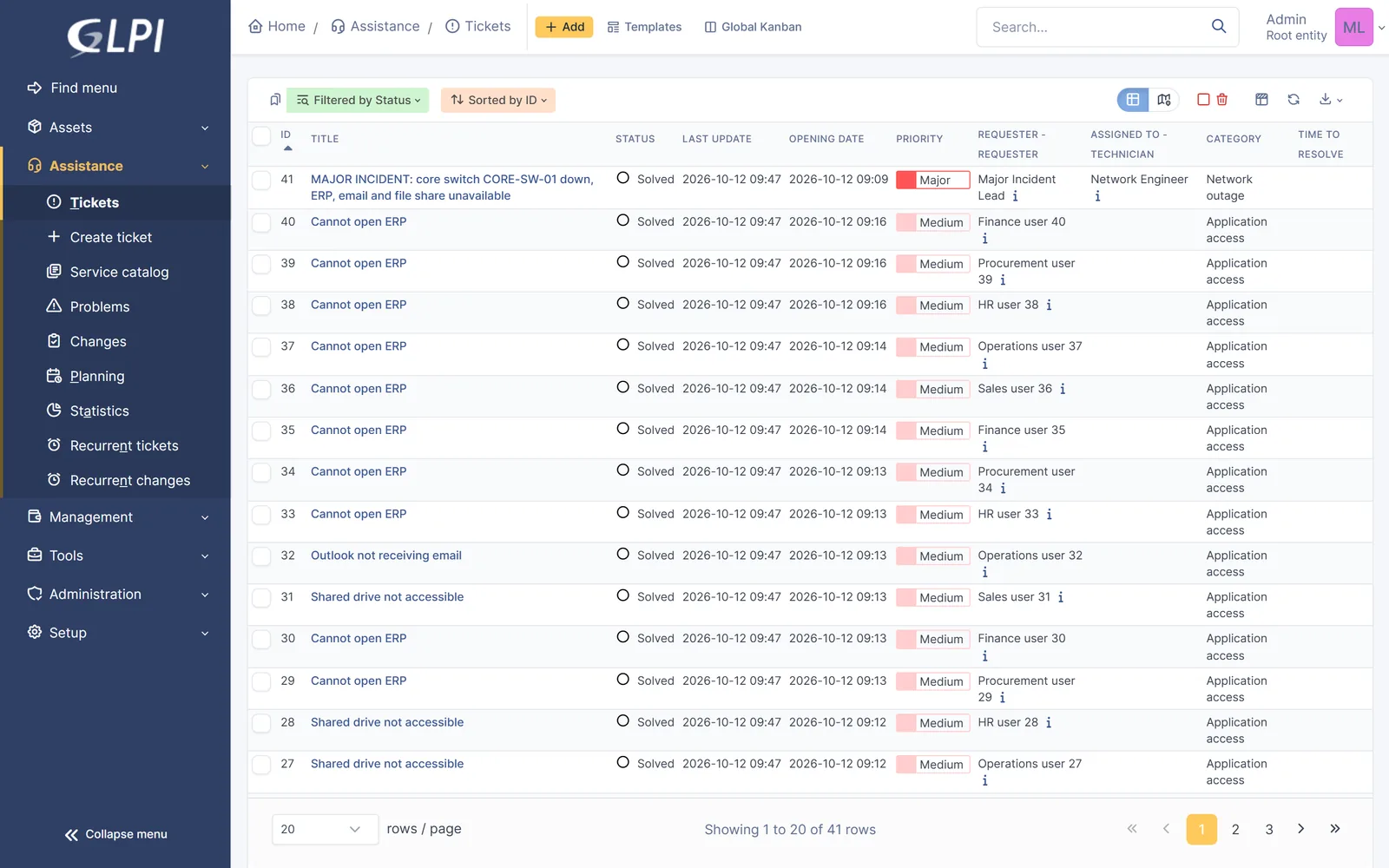
- One coordinated response. The team worked from one record from the moment the major incident was declared.
- No manual clean-up. Nobody had to open, update or close the 40 user tickets.
- Every user informed. Each requester was notified on their own ticket.
- A permanent fix, not just a recovery. The cause, the change and the known error are recorded and linked for the next review.
What we recommend
- 1
Map critical services before you need them
Record business services and their dependencies in impact analysis. This is what lets the service desk see the common cause in the first minutes of an outage.
- 2
Agree what "major" means and who leads
A clear rule for declaring a major incident and a named lead on every shift.
- 3
Link as duplicates, solve once
Link every user report to the major incident as a duplicate and solve only on the major incident.
- 4
Check the lead's rights in advance
GLPI only updates linked tickets the person solving is allowed to change.
- 5
Plan user communication outside the ticket
Decide the status page, email list or portal banner before the outage.
- 6
Always end with a problem record
Track the permanent fix through change and publish the known error.