

A GLPI upgrade rarely fails because of the database migration itself. It fails because of what surrounds it: a plugin that was never updated, a PHP version the server does not have, a change someone once made directly in GLPI’s files, or a mail collector nobody remembered to check.
Good upgrades are planned in four stages.
1. Take stock before you pick a date
Start with an honest inventory of what you run today.
-
Versions. Note the current GLPI, PHP and database versions, then read the requirements of the version you are moving to. A new GLPI release often needs a newer PHP, and sometimes a newer MySQL or MariaDB.
-
Plugins. List every plugin with its version and check whether it has a release for your target GLPI version. A plugin without one is the most common reason an upgrade has to wait. Decide early whether to replace it, wait for it or retire it.
-
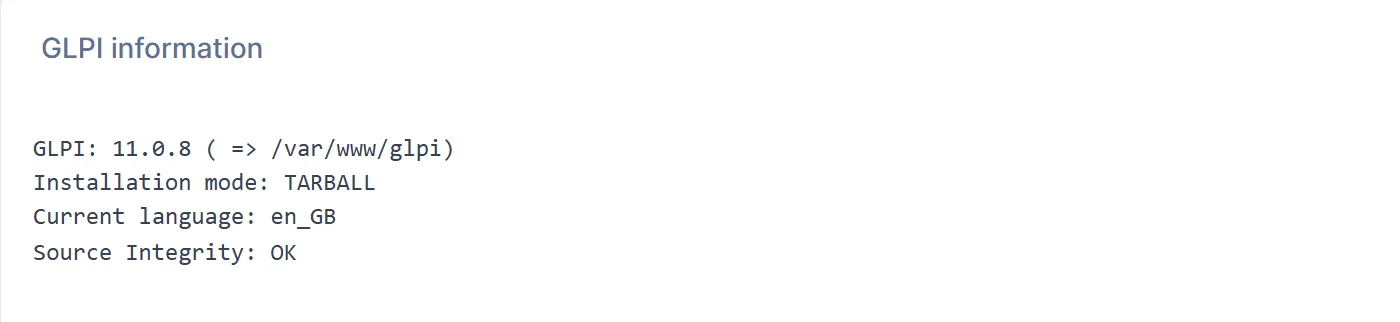
Changes to GLPI’s own files. Compare your installation with the official release archive for your current version. Any file that differs has to be dealt with, because the upgrade will overwrite it. GLPI 11 can run this check itself, from System information or with
php bin/console diagnostic:check_source_code_integrity. On a customised installation it lists every altered, added or missing file, and the--diffoption shows what changed. It covers GLPI’s own files, not plugins, and only works on an installation from an official release archive.If your GLPI code has been customised and nobody is sure what was changed or how to carry it through an upgrade, talk to MarifeX. We find every change, move what is still needed into a plugin or configuration where possible, and plan the upgrade around it.
-
Integrations. LDAP or Active Directory, single sign-on, mail collectors, inventory agents, API clients and webhooks all need to be tested after the upgrade, so write them down now.

2. Rehearse on a copy
Never let production be the first place an upgrade runs.
- Restore a recent copy of the database and GLPI’s files on a separate server that runs the target PHP version.
- Run the database update from GLPI’s command line tool rather than the browser. On a large database the browser can time out halfway through.
- Run GLPI’s database schema check afterwards to confirm the structure matches what the new version expects.
- Time the whole run. That number, plus a safety margin, is your maintenance window.
The checks are quick to run from the command line before and after the update:
$ php bin/console system:check_requirements
| [REQUIRED] PHP Parser                              | [OK]       |                               |
| [REQUIRED] DB engine version                       | [OK]       |                               |
| [SECURITY] PHP maintained version                  | [OK]       |                               |
...
$ php bin/console database:check_schema_integrity
Database schema is OK.
$ php bin/console diagnostic:check_source_code_integrity
GLPI source code integrity is validated.
Then test the copy the way your people actually use GLPI: raise a ticket by email, run an approval, check that notifications go out, watch an SLA count down, open the dashboards, import an inventory and call the API. A working login page proves very little.
3. Plan the window and the way back
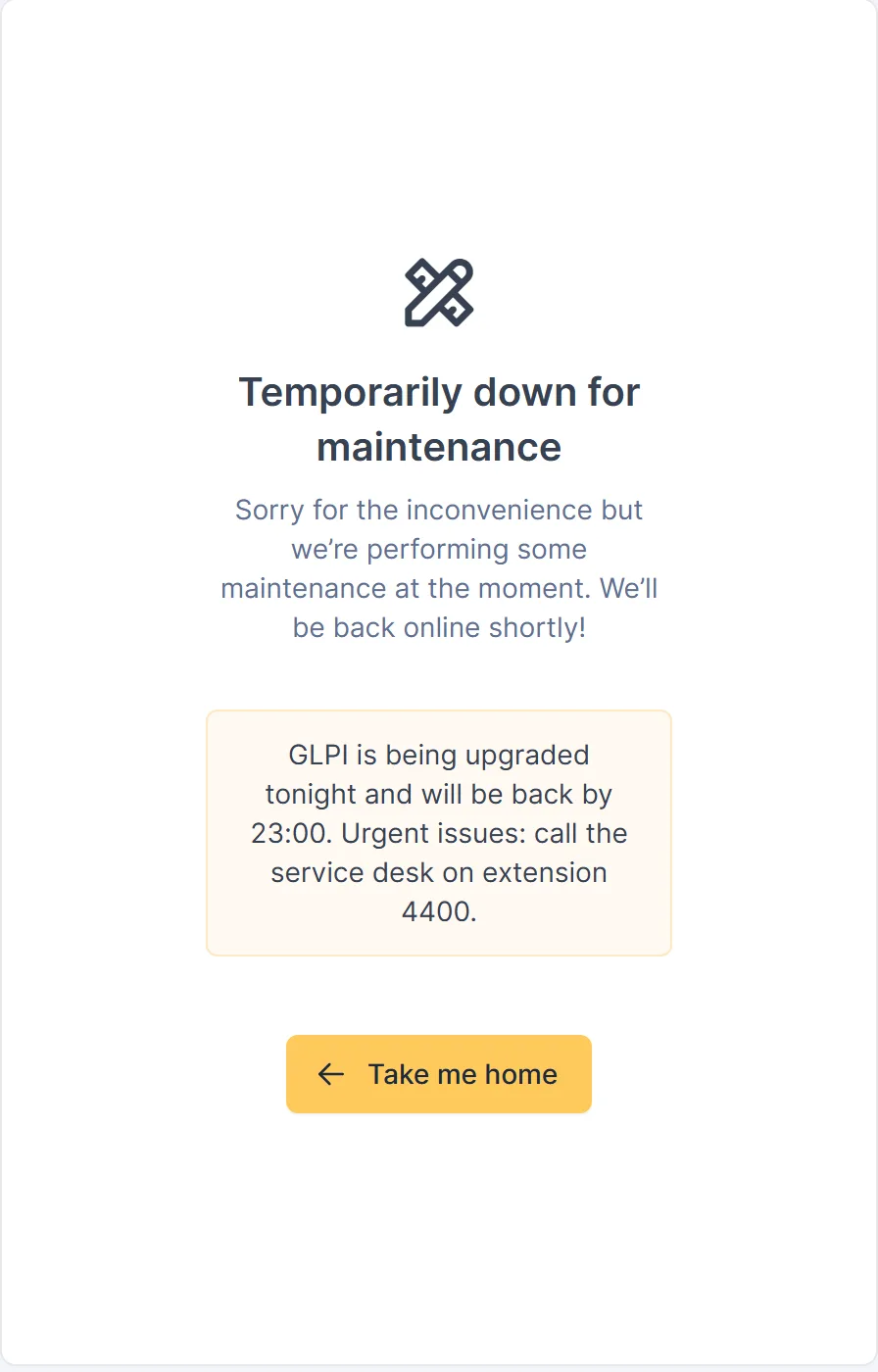
- Tell users when GLPI will be unavailable and put it into maintenance mode at the start of the window, from Setup > General > System or with
php bin/console maintenance:enable. - Stop scheduled tasks and mail collection so nothing changes data mid-upgrade.
- Take a full backup of the database and of GLPI’s files and configuration, and keep the previous version’s code to hand.
- Write the rollback down: restore the database, put the old code back, restart the services. Then test it during the rehearsal, because a rollback plan you have never run is a hope, not a plan.
4. Check, then watch
After the upgrade, confirm the things that fail quietly:
- GLPI’s logs show no new errors.
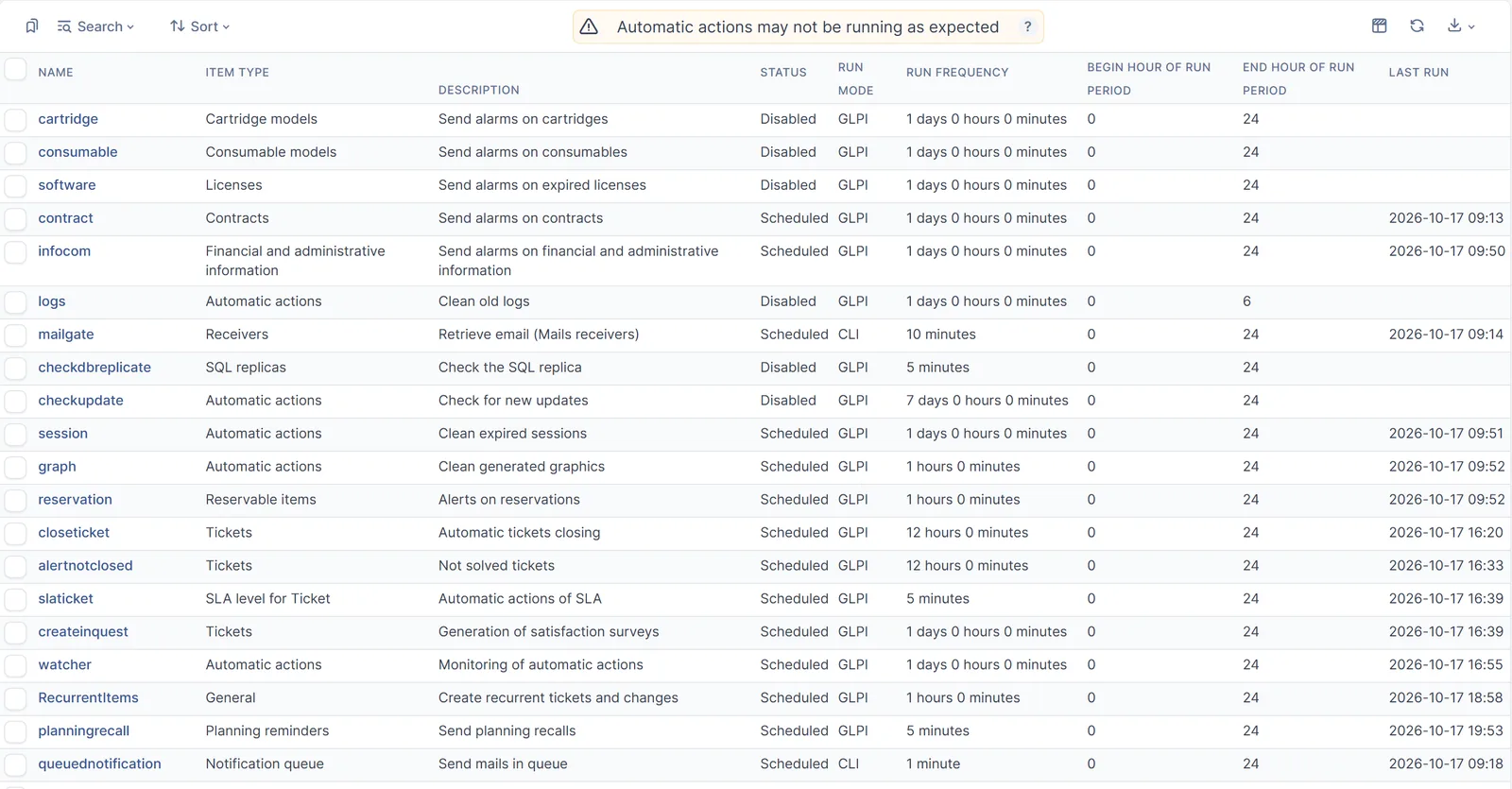
- Scheduled tasks are running and queued notifications are being sent.
- Mail collectors are importing and inventory agents are reporting.
- Plugins are enabled one at a time, with a quick test after each.
Keep a close eye on the service desk for the first week. Most remaining issues show up in the first few days of normal use.
Upgrade little and often
The hardest upgrades are the ones that were postponed for years. Each skipped release adds plugin changes, PHP changes and database changes that all have to be handled at once. Staying close to current releases keeps each step small and keeps security fixes flowing.
If you are planning a GLPI upgrade or a migration, or have one you keep putting off, we can run the assessment, the rehearsal and the upgrade itself with you, at an affordable cost.